
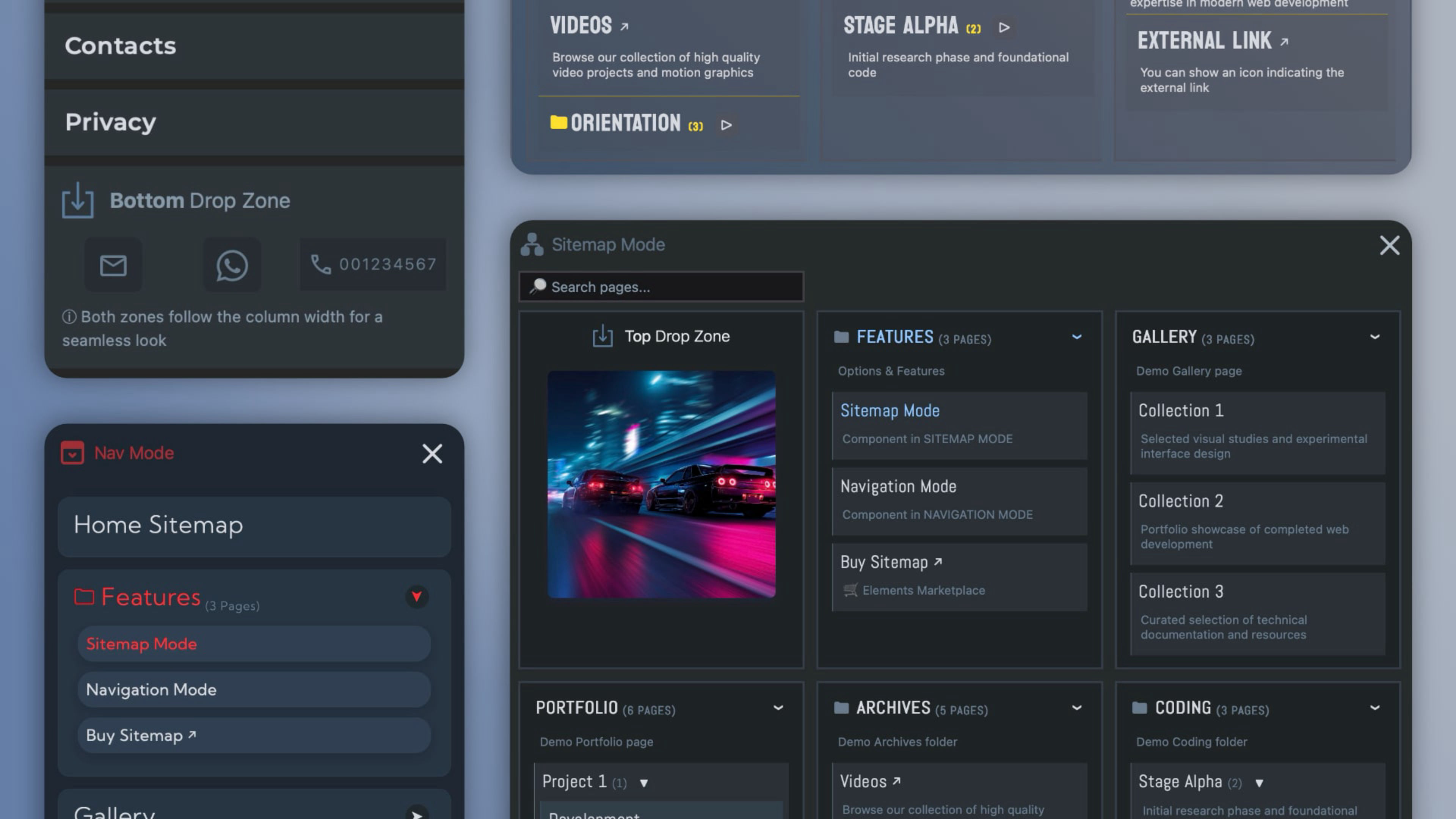
Sitemap automatically builds a complete, beautifully organized map of your website directly from your Elements project. Every page is arranged into a clear hierarchy, allowing visitors to understand the structure of your site at a glance.
Fully compatible with the Elements AI Assistant. Every option now carries a clear, plain-language description, so the AI understands what each setting does, how the options work together, and the best way to use the component. Sitemap does two different jobs, a full site map or a vertical site navigation, and the AI now helps you choose the right one. Tell it what you want to achieve, and it will set the right mode, layout and options for your goal.
More than a simple page list, Sitemap transforms your website structure into a visual experience. With flexible layouts, independent styling for each level, custom typography, backgrounds, spacing, animations and visual indicators, you can create anything from a clean editorial site map to a rich interactive directory that perfectly matches your design.
Built-in search, live filtering, page descriptions, counters and highlighting tools make even large websites easy to explore, while responsive controls let you adapt the presentation for every device.
When your project requires it, the same component can also be switched into a fully styled site navigation, with dedicated accessibility settings and SEO-friendly navigation markup.
Built exclusively for Elements, fully responsive, and designed to give your visitors a clearer way to discover your website.
Key features:
- Automatically builds your sitemap directly from your Elements project.
- Instantly switch between Sitemap and Navigation mode.
- Dedicated accessibility labels and SEO-friendly Schema.org navigation markup.
- Vertical tree or horizontal multi-column layout.
- Independent styling for top-level items and sub-pages.
- Built-in live search with Highlight or Filter mode.
- Automatic page descriptions pulled directly from Elements.
- Current page highlighting, hover underline and customizable badges.
- Page counters for sections, with optional labels and colors.
- Auto-expand controls and page limits for very large websites.
- Exclude pages by title or URL fragment.
- Responsive visibility controls for every breakpoint.
- Complete typography, backgrounds, transforms and transition controls.
- Two integrated Drop Zones for titles, logos or custom Elements.
- Native Tailwind utility class support for advanced customization.
- Multiple instances on the same page without conflicts.
..and more
Everything you're browsing right now comes with the component: this very site, with all its demos, ready to open and edit. Every page shows a different configuration, sitemaps and navigation menus, from the most detailed to the most compact. Pick the ones that fit your project, drop them in, and make them yours.
ⓘ Once installed, you'll find the demo project in the available projects panel when creating a new one. (Expand the list with ‘view all’, See all library items, to see all projects.)