
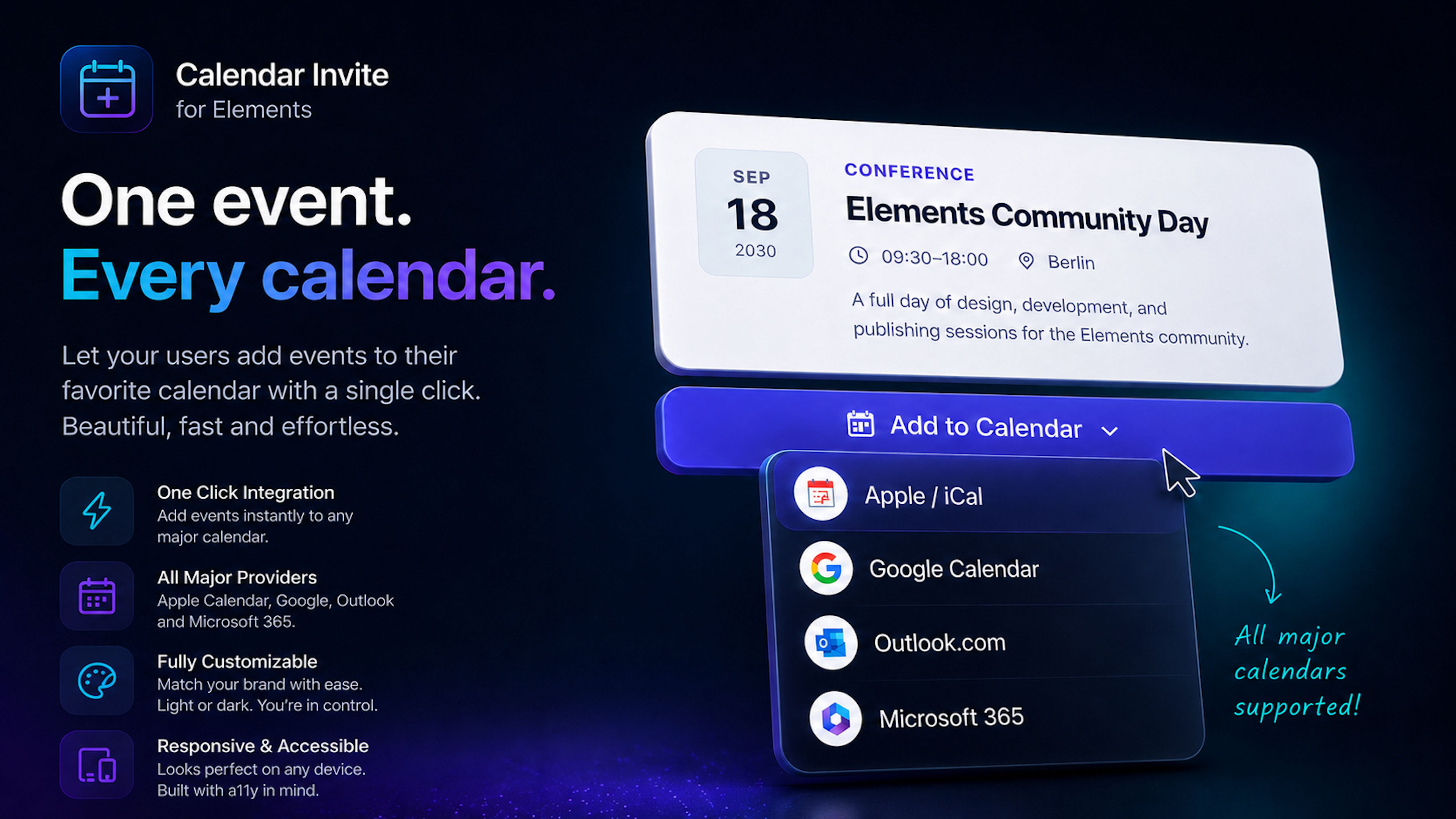
Turn events into real calendar entries.
With Event Invite, visitors can add events from your Elements website directly to their preferred calendar. Apple Calendar and ICS, Google Calendar, Outlook.com, and Microsoft 365 are supported through one compact, fully customizable component.
Whether you are promoting a conference, webinar, product launch, workshop, training session, or private event, you can configure the content, schedule, layout, and available calendar services directly in the Elements Control Pane.
No copying dates, times, or locations by hand. One click is enough. Apparently the web needed another component to solve that little inconvenience.
Key Features
All Major Calendar Services
Offer exactly the calendar options your audience needs:
- Apple Calendar and ICS
- Google Calendar
- Outlook.com
- Microsoft 365
Each service can be enabled or disabled individually and assigned a custom label.
Flexible Event Layouts
Choose the presentation that fits your website:
- Full event card
- Compact event details
- Standalone Add to Calendar button
Dropdown or direct calendar actions
Custom alignment, width, and spacing
The component fits naturally into landing pages, event pages, and editorial content without taking over the entire design.
Fully Customizable Design
Adjust the appearance directly in the Control Pane:
- Background, text, and border colors
- Button colors and labels
- Menu colors
- Border radii
- Width and spacing
- Menu position
- Light and dark designs
The calendar interface remains part of your brand instead of looking like it wandered in from an unrelated website.
Precise Event Configuration
Define all relevant event details:
- Title and eyebrow text
- Description
- Location
- Event URL
- Start and end date
- Start and end time
- All-day events
- Named time zones
- Custom date and time formats
- Recurring Events
Create event series directly in Elements:
- Daily, weekly, or monthly recurrence
- Configurable number of occurrences
- Calendar-compatible recurrence data
- Support for recurring Google and ICS events
- Ideal for courses, meetings, training sessions, office hours, and all the other recurring events people reliably forget.
Reminders and Organizer Details
Add optional information such as:
- Calendar reminders
- Organizer name
- Organizer email address
- Custom ICS filename
Responsive and Accessible
Event Invite adapts to desktop, tablet, and mobile layouts. Its structure, contrast, and interactions are designed for clear and accessible use across different screen sizes and input methods.
Ideal For
- Events and conferences
- Webinars and online meetings
- Workshops and training sessions
- Product launches
- Club and sports events
- Special opening hours
- Recurring courses
- Booking and campaign landing pages