
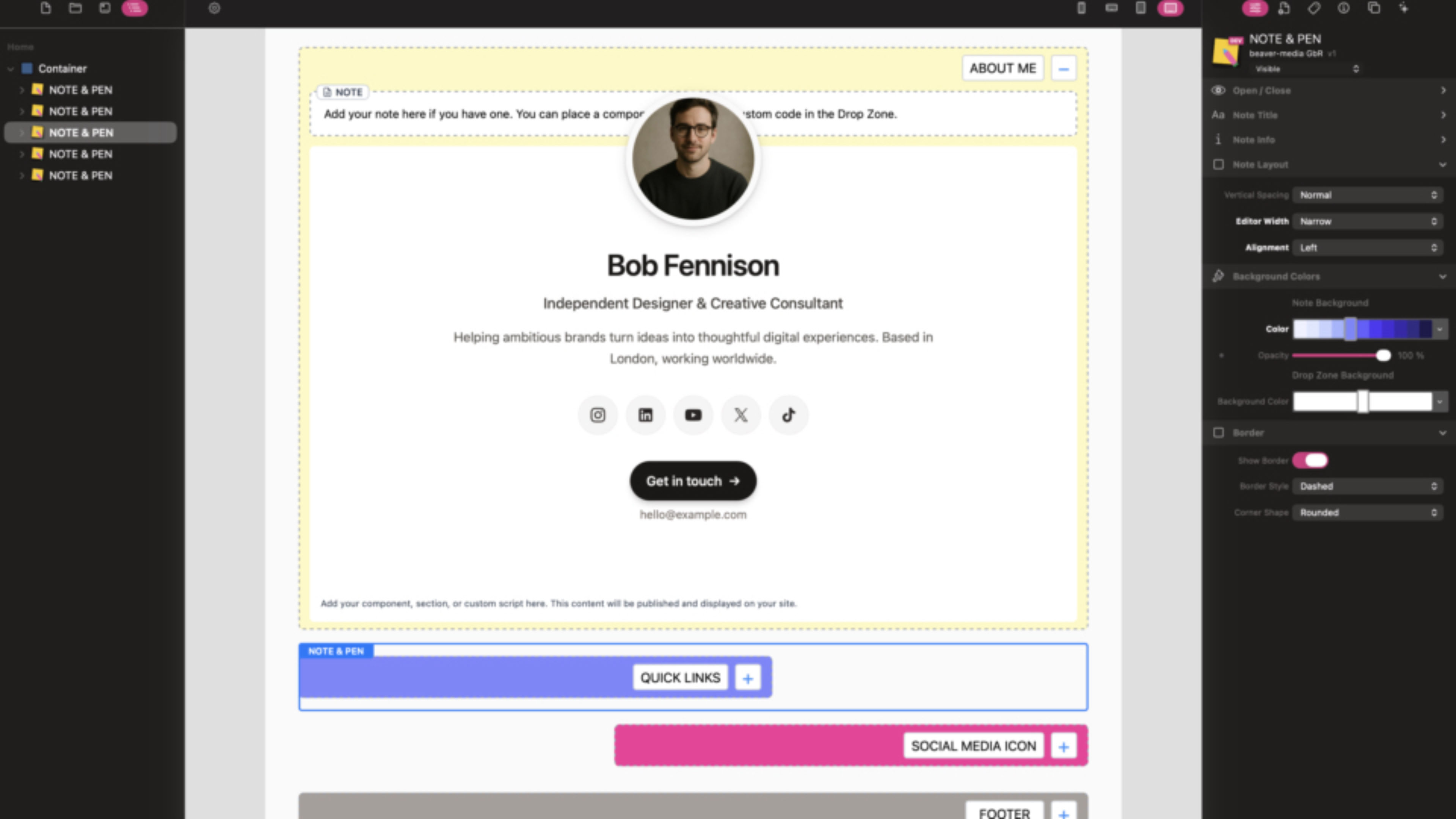
NOTE & PEN is now available for RapidWeaver Elements! Notes and Pen was one of the most popular stacks in the RapidWeaver community. The new component does exactly what its name suggests: it lets you add notes in the editor and keep your website content neatly organized.
Use it to group content such as hero sections, footers, calls to action, or custom code in a drop zone, then add internal notes like reminders, to-do lists, or instructions for colleagues.
Two ways to add internal notes
- Text field: Type your note directly into the dedicated field.
- Markdown or text component: Enable this option and add a Markdown or Text component to the internal drop zone.
Both options are visible in the editor only and won’t appear on your published website.
Content for your website
The separate Drop Zone is for components, sections, and custom code that you want to publish. Its contents will appear on your website, while the NOTE & PEN interface and internal notes remain hidden.
Customize the component
Adjust NOTE & PEN to suit your workflow and design:
- Give each note its own name.
- Choose background colors for the note and drop zone.
- Show or hide the border and choose its shape.
- Set the Note Layout to full width, narrow left, or narrow right.
- Choose whether the note is open by default.
- Select the open and close icons; plus and minus are used by default.
- Show or hide the drop zone hints.
Keep your projects organized with team notes close at hand in the editor, while only the drop zone content is published on your website.