
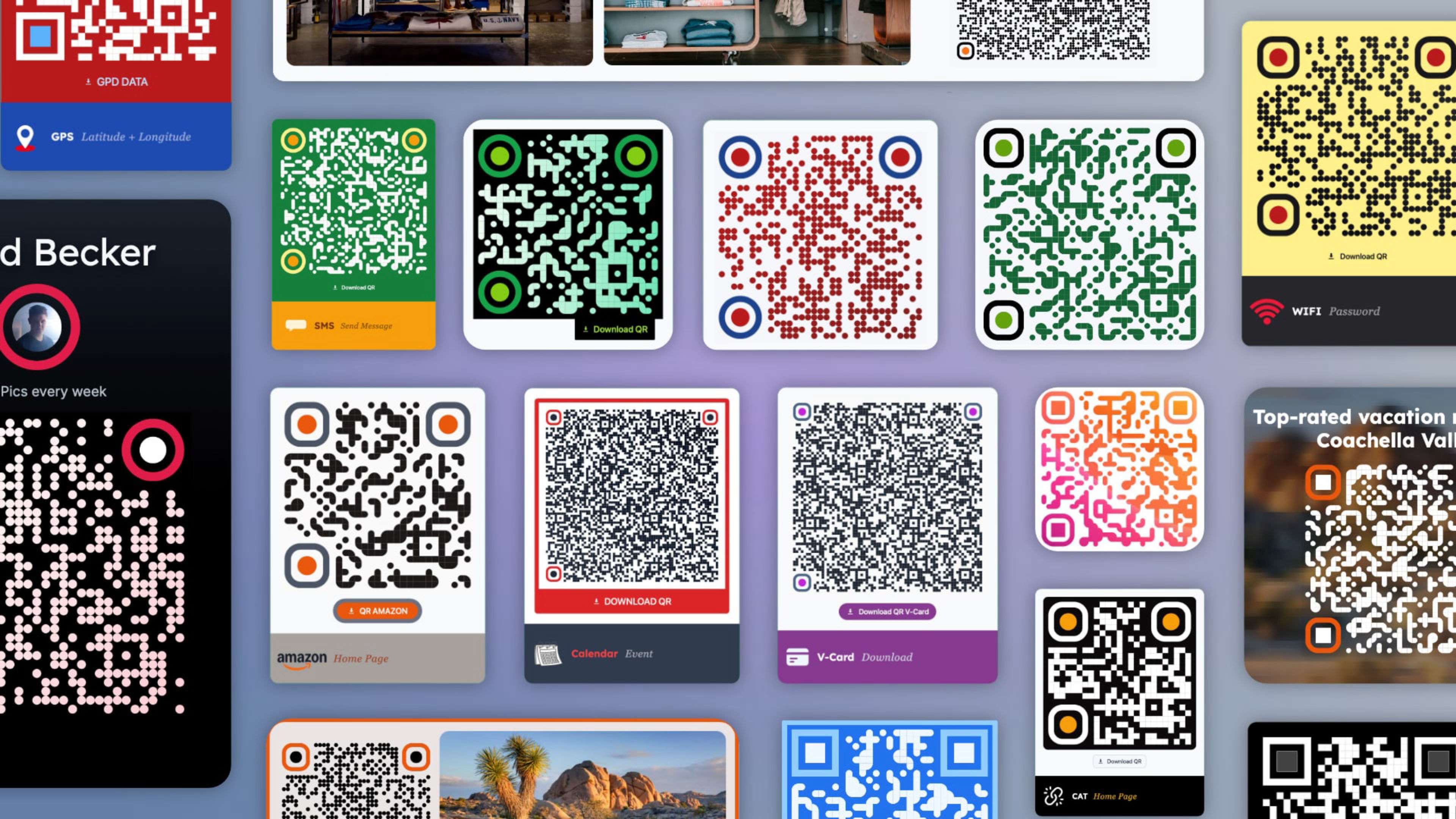
The QR code that adapts to your design: multi-style, fully integrated with Elements.
A fully styled, scannable QR code generator built directly into Elements. No external services, no image uploads: the code is generated by a built-in JavaScript library and renders in the browser, fully integrated with your theme palette and inspector controls.
Designed for sites that need more than a black square. Match the code to your brand colors, apply a gradient, customize corner shapes and module styles. The result is a QR code that belongs to the design, not one dropped into it.
Useful wherever a physical or digital touchpoint makes sense: product pages, event promotions, contact cards, location sharing, WiFi access, and more.
Key features:
- Ten content types: URL, phone, WhatsApp, email, V-Card, text, WiFi, SMS, calendar event, GPS coordinates.
- Email bot protection: the address is split into two parts and never appears complete in the page source.
- Full color control: main color, dots gradient with direction, independent corner colors, background.
- Module styles: sharp, soft, rounded, or dots for modules, corners, and corner dots.
- Optional download button: lets visitors save the QR code as a PNG file.
- Max width control: the SVG scales fluidly within the constraint you set.
- Responsive visibility: show or hide the code at specific breakpoints.
- Custom CSS classes for advanced layout control.
The project includes a curated collection of ready-to-use designs organized across multiple demo pages, covering all ten content types, styled examples from minimal to fully customized, and real-world layouts where the code is integrated into banners and graphic contexts. Each example combines functionality with visual appeal, making it easy to find the right starting point for your project.
ⓘ Once installed, you’ll find the demo project in the available projects panel when creating a new one (Expand the list with ‘view all’, See all library items, to see all projects.)