
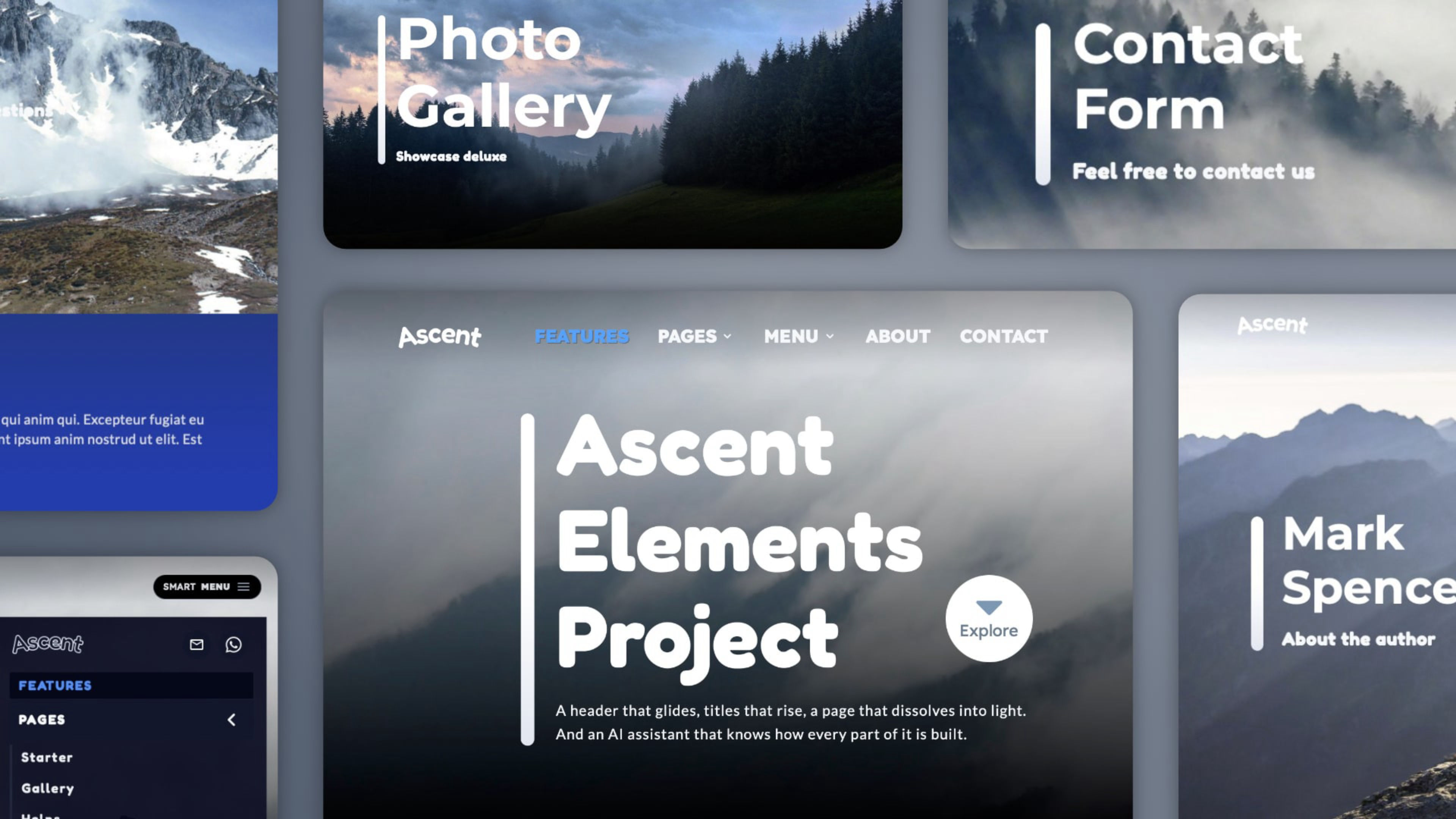
Fully compatible with the Elements AI Assistant. Ascent includes a design guide, written by its designer, that teaches the assistant its style: the animated headers, the Smart Menu, the blue details, the section models. Ask in plain words, for example "create a Services page from the Starter page with the title Our / Services", and the assistant builds it in the Ascent style, with the same animations, and sets the Smart Menu for you.
Dynamic designs, animated by your scroll
Build a site that looks like the work of a large company: big images and videos, strong type, generous space, and motion that follows every scroll. Ascent is made for whoever wants to show a product, a brand or an activity with real elegance: designers, artists, innovative companies, sport and cultural activities.
Headers that make an entrance
Full images or looping videos with a soft parallax that fade while the page loads. The titles rise from below, line by line, while a vertical line grows beside them. Then the header melts into the next section with a gradient, or closes with a straight or inclined band.
Smart Navigation
On desktop the top menu is clear and visible, with an animated line under the links. Scroll down and it steps aside: the Smart Menu button appears, with a vertical panel for pages, contacts and social links. On phones the Smart Menu button stays in place and its contents scroll, perfect for long menus. Prefer something simpler? Choose the regular menu or the Smart Menu only: three navigation types, ready to use.
One blue, one design
The Modal button, the progress bar, the back to top button and the active menu items share the same blue. Together with black, white and light blue sections, these small details give Ascent its unified, refined look.
Pages ready to become your site
Features, Starter, Gallery, Helps, About, Contact, a Landing page for launches, Terms and Privacy. The About page shows what Ascent can do: a sticky video beside a gallery of images, each one opening a modal with its own story. Option pages show headers with sliders, tabs, lists, tables, components and the three menus: copy what you need into your pages.
Fully responsive, dark by nature
Crafted mobile-first for a seamless experience from desktops to smartphones. The layout is dark, and it still supports dark mode with even deeper shades, plus every theme style of Elements.
Built with standard Elements tools
Crafted with the native features of Elements, for easy customization and full compatibility. Elements marked "CODE" are driven by the Ascent scripts (header parallax, animated link line, Smart Menu): change their options from the inspector, with clear notes to guide you.
Edit with speed
Type "edit" in the Elements search field to see only the parts to customize. Every element has a clear, logical name, so you find it and change it in seconds.
Extra options
A progress bar with scroll indicator, a back to top button, a fade-in for the page body and extra CSS animations for modals, all ready to match your design.
Built-in web fonts
Four fonts are embedded in the project and work offline, with four more ready to install.
Your assistant, a design expert
With the Ascent Design Guide installed, the Elements AI Assistant becomes a true expert of this style. It builds new pages that keep the same rhythm, animations and colors, it knows the components and IDs behind the Smart Menu, and it checks your pages and suggests fixes. Your site grows, and stays as beautiful as the day you started.